
Telehealth in ClinyPal is an appointment type: book it like any visit and the join link reaches the patient in their confirmation. Nothing to install on either side.
Set up the appointment type
Open Settings, then Appointment Types, and add or edit a type
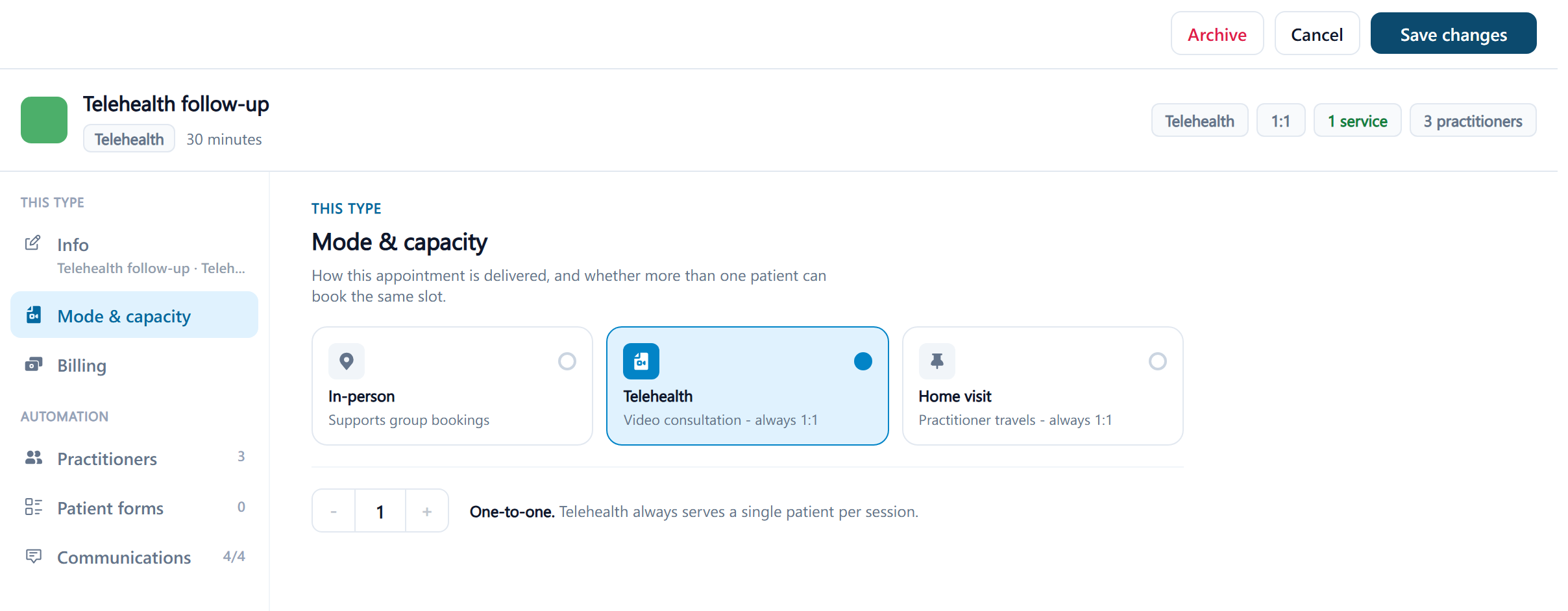
Set its kind to Telehealth: Video consultation - always 1:1. Telehealth types are locked to one patient, so group sessions aren't possible over video.
Give it a duration and price as usual
A telehealth visit can carry a deposit and online booking like any other type; many clinics make it bookable online for follow-ups only.
Put the Telehealth Link in the confirmation and reminder templates
The Telehealth Link placeholder is blank for in-person visits and holds the join link for telehealth ones, so one template serves both. See Placeholders.
Book and join
Book the visit from the calendar or let the patient book it online. The appointment shows a Telehealth label, and on the day the calendar, the dashboard's today list and the appointment offer Join call to the practitioner. The patient joins from the link in their confirmation or reminder; nothing to install, a browser with a camera and microphone is enough. For running the call see Run a telehealth appointment, and for what the patient sees, Join your telehealth appointment.
- The link is personal to the appointment and patient. One that hasn't been used for two weeks expires: This invite link has expired. Please ask your clinic to resend it. Resend the confirmation to issue it again.
- Telehealth appointments sync to connected calendars with the join link in the event.
- The call itself is free to the clinic and the patient; there are no per-minute charges.