
The trial is the real product, not a demo. Everything you book, invoice or write during it stays when you pick a plan, so use it to run a normal week and see where the clinic snags.
What the trial gives you
The trial starts the moment you sign up and includes every feature: the calendar, invoicing, messaging, online booking, telehealth and reports. Use it to run the clinic for real rather than to look around. Anything you set up, book or invoice during the trial is kept when you move to a plan.
The trial lasts 30 days, needs no card, and allows up to 2 active practitioners. That's the one limit: a practitioner seat is an active practitioner, someone patients can be booked with. A receptionist, bookkeeper or scheduler doesn't use a seat, so you can add the whole front desk without touching the limit. If you reach it, see Invite your team for what a new practitioner sees and how to free a seat.
See how long is left
Administrators see the days left in two places. The Plan card on the dashboard reads, for example, Trial — 23 days left and shows the seats in use, such as Practitioner seats 1 / 2. The subscription page, under Settings then Subscription, shows the same under Free trial active. A bookkeeper can open the subscription page too, but doesn't get the Plan card. Everyone else, whatever their role, sees only the notice ClinyPal shows on every page while the trial lasts, such as Free trial active — 23 days remaining.

Move to a plan
You can do this on any day of the trial. Moving early doesn't shorten anything you've already paid for, because during a trial nothing has been paid for yet; the plan starts the moment the payment goes through.
Open Settings, then ClinyPal Subscription
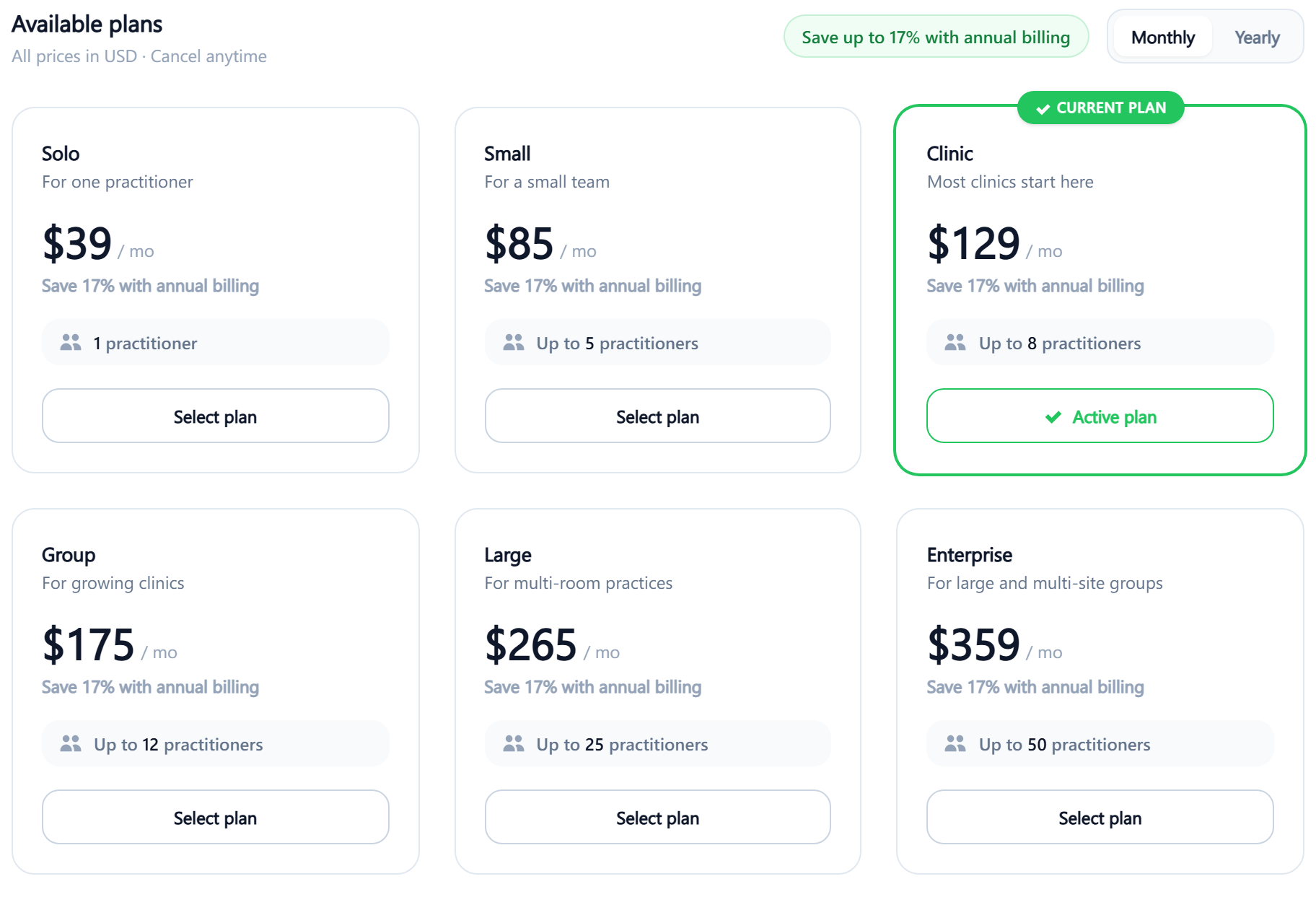
Select Choose a plan at the top, which takes you to Available plans on the same page.
Pick Monthly or Yearly
The prices under each plan change to match. Each plan states how many active practitioners it allows; choose one with room for everyone you'll make a practitioner, including yourself.
Select plan under the one you want
If you already have more active practitioners than that plan allows, you're told how many to deactivate first and nothing changes. Otherwise a payment form opens for your card details.
Pay
The plan is active right away. The dashboard's Plan card stops showing the trial line, and the subscription page shows the plan name, the renewal date and the seats in use.
Renewals, plan changes, saved cards and canceling later are covered in Subscription and billing.
If the trial runs out first
On the day the trial ends, nothing is deleted, but most of ClinyPal closes until a plan is chosen. Anyone who signs in is sent to the subscription page, which now reads Your free trial has ended with the date, and Upgrade now takes you to the plans.
While the clinic is in this state, staff can still open:
- the patient list and each patient's record, so nothing is cut off mid-treatment;
- invoices and payments, so you can still bill and take money owed;
- Export data, so you can take a copy of everything;
- the subscription page, saved payment cards and the close-account page.
Everything else is closed: the calendar, the dashboard, messaging and the rest of Settings. Any other page you try sends you to the subscription page. Choosing a plan reopens all of it at once, exactly as you left it.