
Moving an appointment is a drag on the calendar or a change in the form, but the message the patient gets and what happens to a series depend on how you do it.
Drag it, or edit it
Moving an appointment keeps everything about it except when it is: the patient, type, price, case, notes and its place in a series all stay. There are two ways to do it.
- Drag the card to another time or another practitioner's column in Day view. It's saved the moment you drop it, and you're asked whether to let the patient know. To change the length instead, drag the bottom edge; it snaps to the clinic's slot size, and the end can't be moved before the start.
- Edit by opening the appointment and changing Date, From, To or Practitioner, then saving. Use this to move to a day that isn't on screen. The same availability warnings as a new booking apply when the practitioner, date or time changes, with Book anyway.
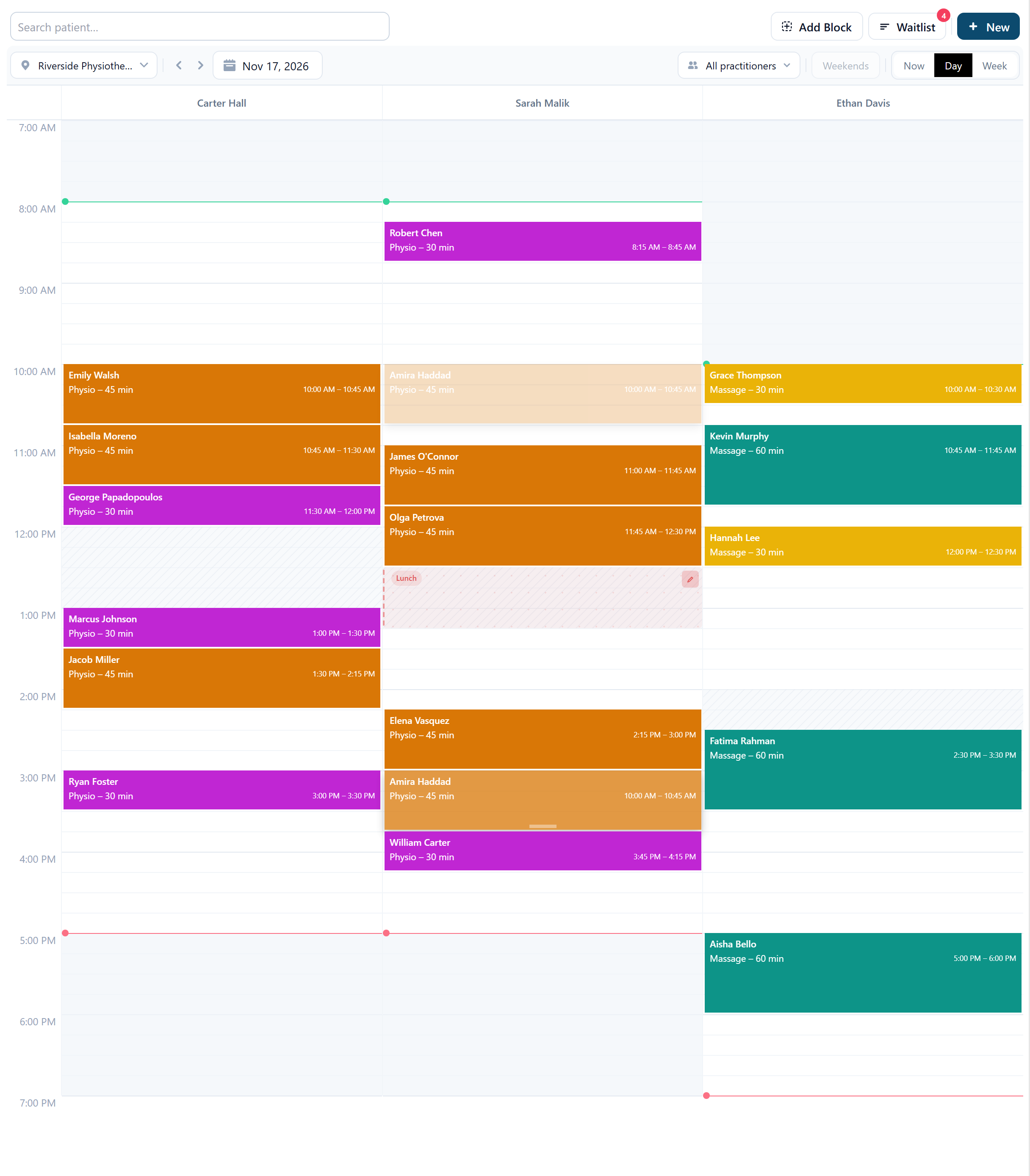
A move that lands on top of another appointment for the same practitioner, or on a time where the patient already has an appointment, is refused with the reason, such as This practitioner already has an appointment 15:00–15:45 at Riverside, and the card returns to where it was. Dragging into the column of a practitioner who isn't linked to the appointment type, or who doesn't work at that location, is refused the same way.
Part of a repeating series
Dragging an occurrence moves only that one. When you edit from the form, Apply to asks how far the change should reach: This appointment, This and following, or All in the series. The repeat pattern itself (how often, and Repeat Until) can only be changed with This and following or All in the series; past occurrences are never touched.
A monthly series booked on the 29th, 30th or 31st falls on the last day of shorter months and keeps its day after a This and following or All in the series edit. Occurrences you've moved by hand keep their new time if you later change the rest of the series.
What happens after a move
- The patient isn't told on their own. After a drag, select Notify when asked and they get a short email or SMS with the new time; when you edit from the form, switch on Notify patient before saving. Leave it and nothing is sent.
- The time you moved away from is offered to the waitlist, unless something else has already been booked into it.
- The appointment's price doesn't change, even if the appointment type's price has changed since it was booked.
- The move is recorded under Change history on the appointment.