
Classes and group sessions are one appointment with several patients, each invoiced and messaged on their own. Set the type up as a group once and booking them is the same as any other visit.
What makes an appointment a group
A group appointment is one session with several patients in it: a Pilates class, a hydrotherapy group, a parents' session. Whether a booking is a group comes from its appointment type, not from the booking form. In Set up appointment types, under Mode & capacity, an In-person type can have a capacity above one; telehealth and home-visit types are always one patient. Set the capacity to the number of places in the room, and every booking of that type gets that many places.
Group types are for staff to book. They aren't offered on the online booking page.
Book the session
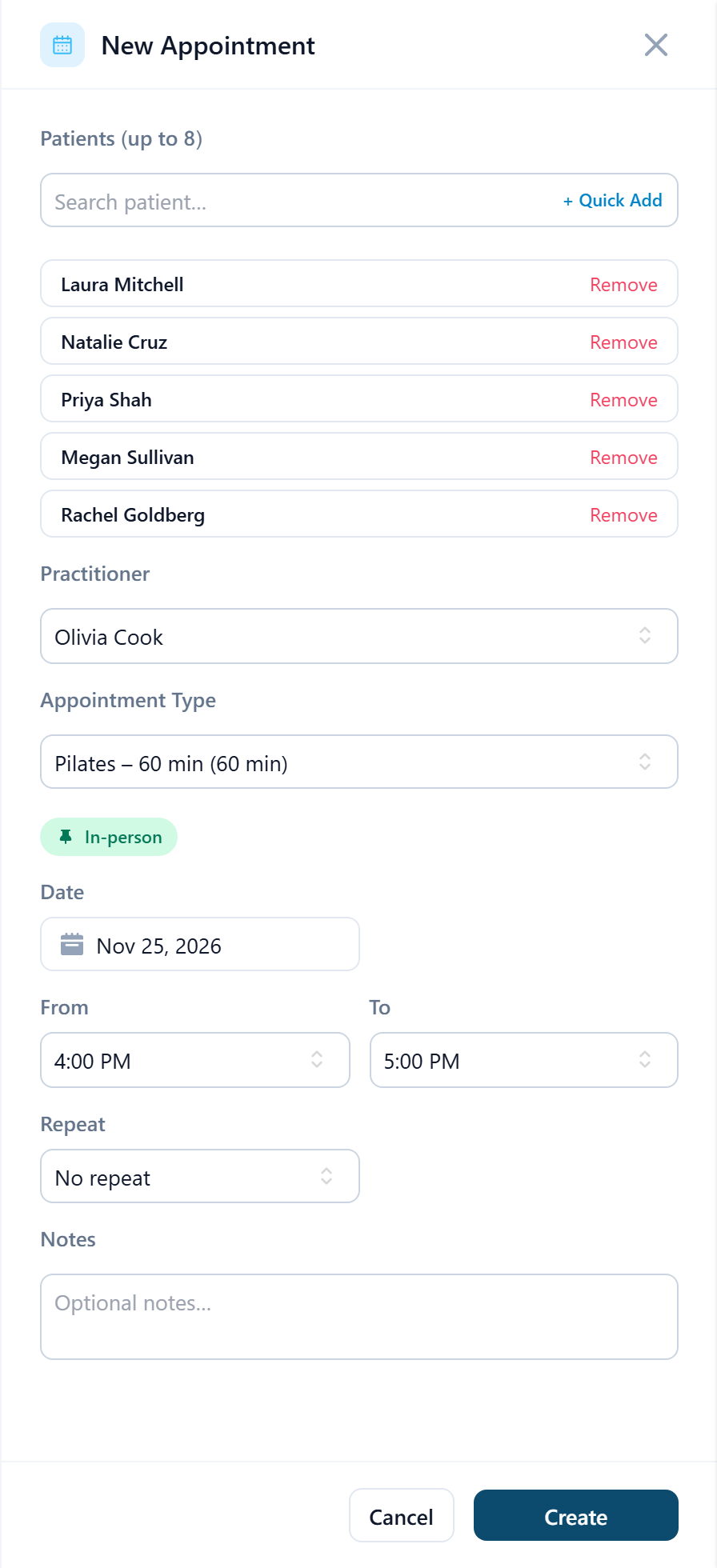
Open New Appointment and choose a group appointment type
The single Patient field becomes Patients (up to 8), or whatever the type's capacity is.
Add each patient
Search and add them one at a time, up to the capacity. Remove beside a name takes them out again. You can save with fewer than the capacity and add more later; a group needs at least one patient.
Set the practitioner, date and time once
They apply to everyone. A group session doesn't repeat: whatever Repeat says is ignored, so book a weekly class one session at a time.
Save
Each patient receives their own confirmation and any linked forms. If some of them are already booked at that time, the session is booked for the rest and you're told how many were left out, for example Booked · 4 patients added, 2 skipped — already booked at that time. If every one of them is, the session isn't created.
On the calendar the card shows how many places are taken, for example 5/8. Open it to add latecomers or remove someone; the rest of the roster is untouched.
One patient in the group
Status, notes and payment are per patient. Open the session and select the patient's name first; the form says Notes and Payment below apply to the selected patient. Then mark them arrived or absent, open their notes, or take their payment, and the others keep their own status. If one patient cancels from the link in their own confirmation, only their place goes: the session stays for everyone else and the card notes that 1 of 5 patients canceled. Cancel on the session itself cancels it for everyone; to take one person out, open Edit and use Remove beside their name. Canceling a whole class counts as canceled by the clinic, so no late-cancellation fee is charged to anyone; see Cancel an appointment.