
A preferred name is what staff call the patient and what messages use; pronouns are a note for everyone who treats them. Both take seconds to record and matter every visit.
Record them
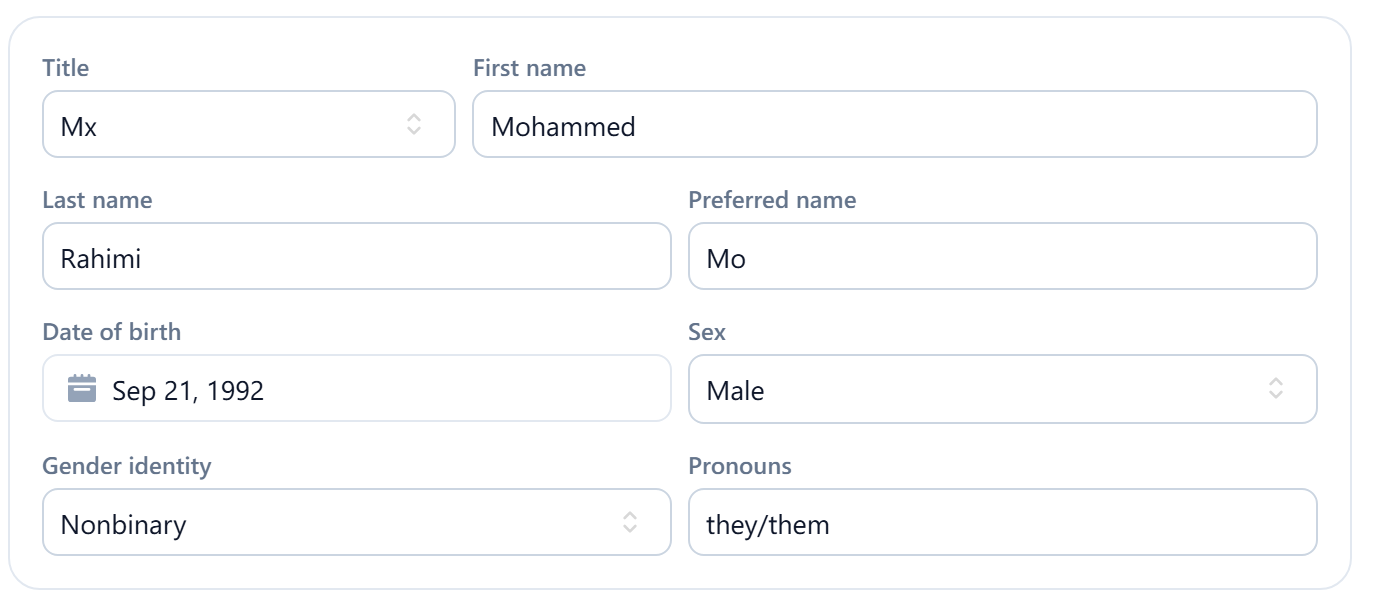
On the patient's Details, select Edit details. Preferred name sits beside the first and last name; Pronouns is free text, such as she/her or they/them, next to Sex and Gender identity. Save. Patients can't set these themselves from the booking page, so ask at the first visit or on the intake form and copy it here.
Where they're used
Message templates have placeholders for the patient's first name and full name; where a template uses the preferred-name placeholder, the preferred name is what the patient reads. Open your templates under Settings to see which placeholder each one uses, and see Placeholders for the list. Invoices and other legal documents use the legal name. Pronouns are shown on the record for staff and aren't put into messages.