
An invoice that should never have existed is voided; one that's real but won't be paid is written off. The difference matters for the reports and for the accounting app.
Which one
| Void | Write off | |
|---|---|---|
| Use it when | The invoice was a mistake: wrong patient, duplicate, never delivered. | The invoice is right, but some or all of the balance won't be paid. |
| Offered when | The invoice is unpaid. A paid invoice can't be voided: Use Refund / credit note to reverse a paid invoice. | There's a balance outstanding, on an issued or partially paid invoice. |
| What it needs | A reason. | An amount, up to the outstanding balance, and an optional note. |
| Afterward | Status Void. The invoice is locked and no longer owed. Product lines go back into stock. | The written-off amount shows on the invoice as a separate line. If it covers the whole balance the status is Written off and the invoice is locked; a partial write-off leaves the rest owing and the invoice can still be paid or written off further. |
| Can it be undone | No. Raise a new invoice. | No. Raise a new invoice for the amount if the patient pays after all. |
Voiding needs the invoice-void permission (Administrators, Power Receptionists, Bookkeepers). Writing off needs the write-off permission (Administrators and Bookkeepers). A patient who holds unpaid invoices can't be deleted until they're collected or written off.
Do it
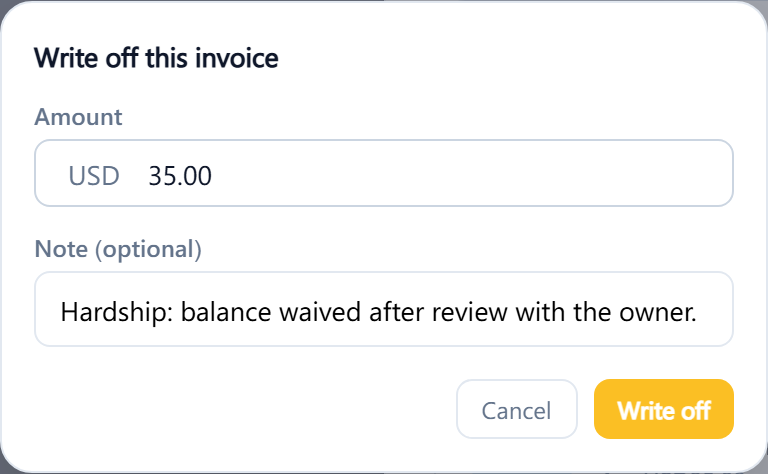
Open the invoice. Void and Write off are at the bottom beside Refund, each shown only when it applies. Void this invoice asks for the reason and then Void; you'll see Invoice voided. Write off this invoice asks for the Amount, filled in with the full balance, and a note; Invoice written off confirms it. If the invoice settings have a write-off email, the patient can be emailed a copy from the invoice afterward.
A payment on a written-off invoice can't be voided afterward, so correct payments first. Write-offs appear in the Discounts and refunds report. They aren't sent to connected accounting software; the clinic gets a note to adjust the invoice there by hand.