
Two settings decide the clinic's baseline: whether everyone must use an authenticator app, and how long an idle screen stays signed in. Both are worth deciding before the team grows.
Where the settings are
Both settings are under Settings, then General Settings, in the Security section. They apply to every user in the clinic and need the Administrator role to change. Save the page after changing either.
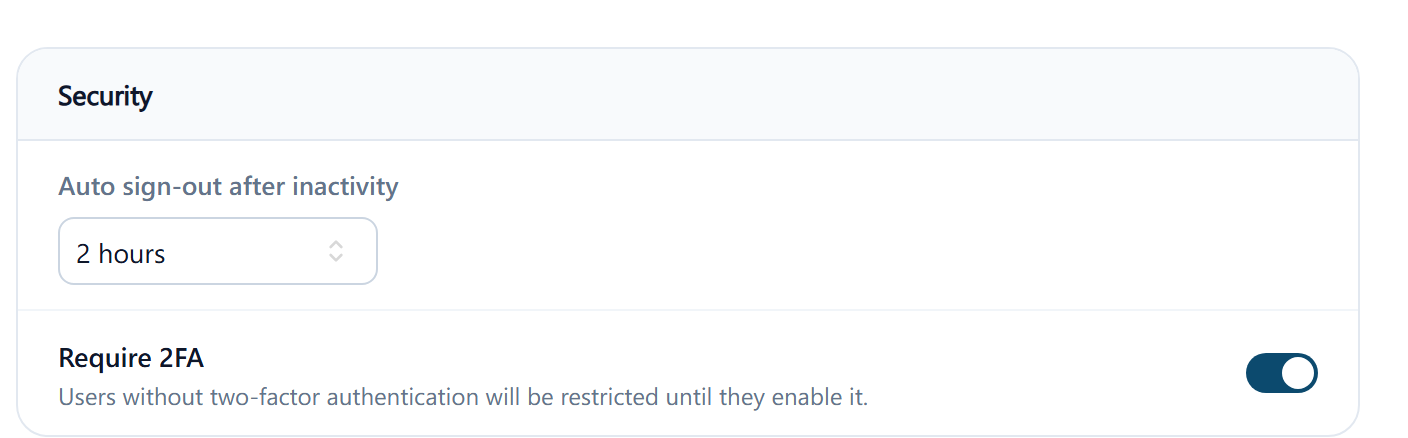
Require 2FA
Switching on Require 2FA makes an authenticator app compulsory for everyone. It doesn't sign anyone out. Each user who hasn't set one up is stopped at their next sign-in, after their password, by the page Set up two-step verification, and can't go further until they've scanned the QR code and saved their backup codes. That takes a couple of minutes if they have an authenticator app installed, and rather longer if they're installing one at the front desk with patients waiting, so tell the team the day before and point them to Two-factor authentication.
While it's on, nobody can disable their own two-factor authentication; the Disable option disappears from their user. When the clinic requires two-factor authentication, everyone must set up an authenticator app, including people who sign in with a passkey, with Google or Microsoft, or on a browser ClinyPal remembers. After that, a passkey still signs them in on its own, without a code; signing in with a password asks for the authenticator code. An administrator can still Reset a user's authenticator from their user page when they've lost their phone, and that user sets it up again at their next sign-in.
Switching it off later leaves everyone's authenticator in place; they can then choose to disable it themselves.
Auto sign-out after inactivity
Choose 1 hour, 2 hours, 3 hours or Never sign me out. After that long with no activity in ClinyPal, the user is signed out and returned to the sign-in page; anything they were typing and hadn't saved is lost. The same period applies to everyone.
Pick the shortest period the clinic can live with. A reception computer that patients can see should sign out within an hour; a practitioner's own laptop can go longer. Never sign me out means a computer left signed in at the end of the day is still signed in the next morning, and whoever sits at it is you.