
A concession only changes a price once the service has a concession price. Set them on the services most concession patients book and leave the rest at full price.
Where the discount lives
The reduced amount is stored on each service, not on the concession, so a physio consult can be $85.00 as standard and $70.00 for a pensioner while a massage has no concession price at all. Open Settings, then Billable Items, open the service and go to Concession pricing. Every concession type is listed with a price field; enter the reduced price beside each one that applies and save the service.
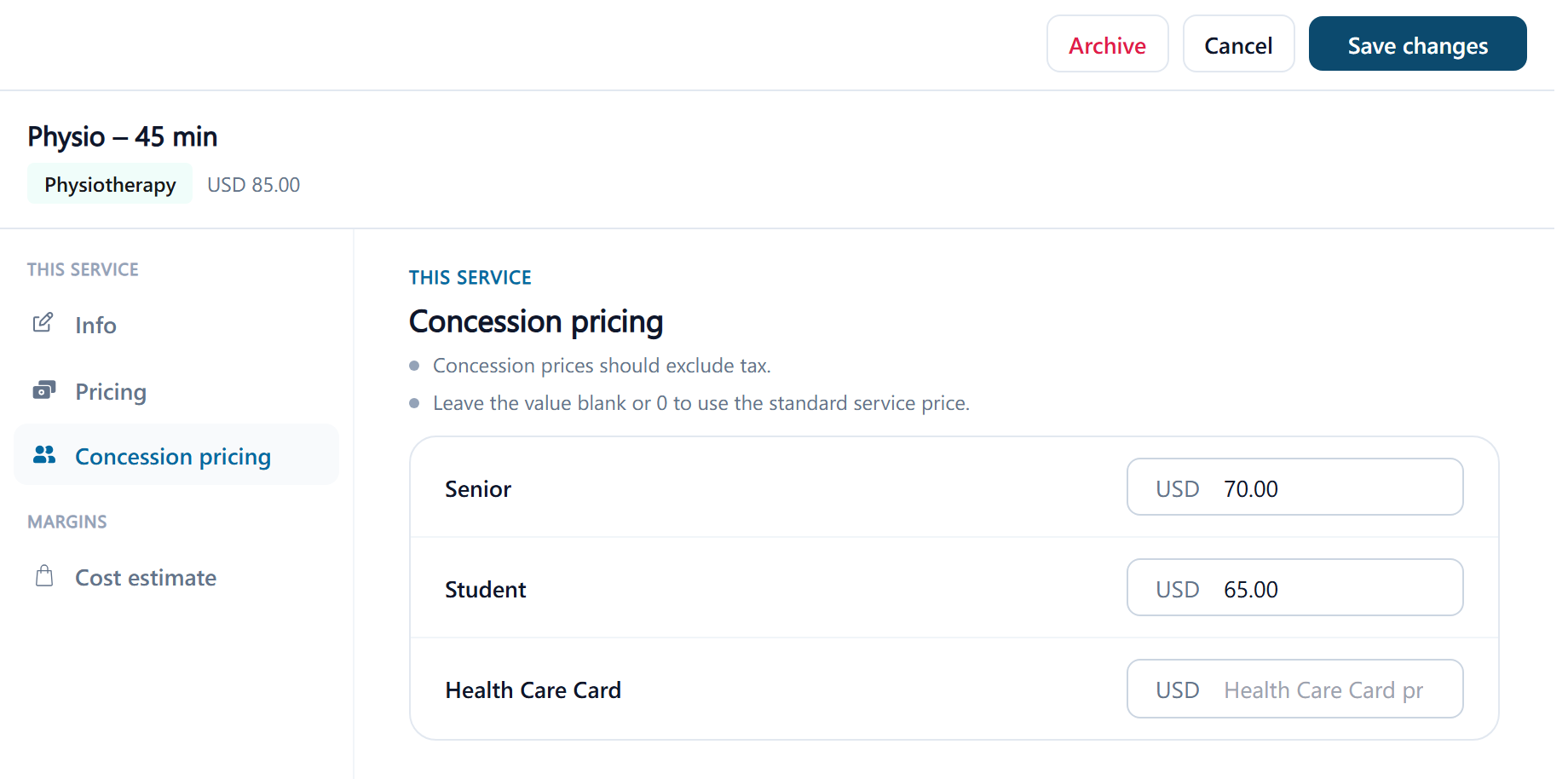
- A concession left blank, or at 0, means the patient pays the standard price for that service. You don't have to price every concession on every service.
- Enter the price the same way as the standard price, including or excluding tax according to your clinic's tax setting; tax is then applied the same way as for the standard price.
- Products don't have concession prices; only services do.
What happens on the invoice
When a service with a concession price is added to an invoice for a patient who has that concession, the line is priced at the concession amount and marked with the concession's name, so staff can see why the price is lower. Appointment billing works the same way: when a visit is invoiced, each linked service is priced at the patient's concession price as it stands then. Changing a concession price later affects every invoice made from then on, including ones for visits already booked; invoices already made keep their prices.