
Cancellations and no-shows are lost income with a pattern behind them: a day, a type, a practitioner. This report finds the pattern and shows what fees were charged.
What it shows
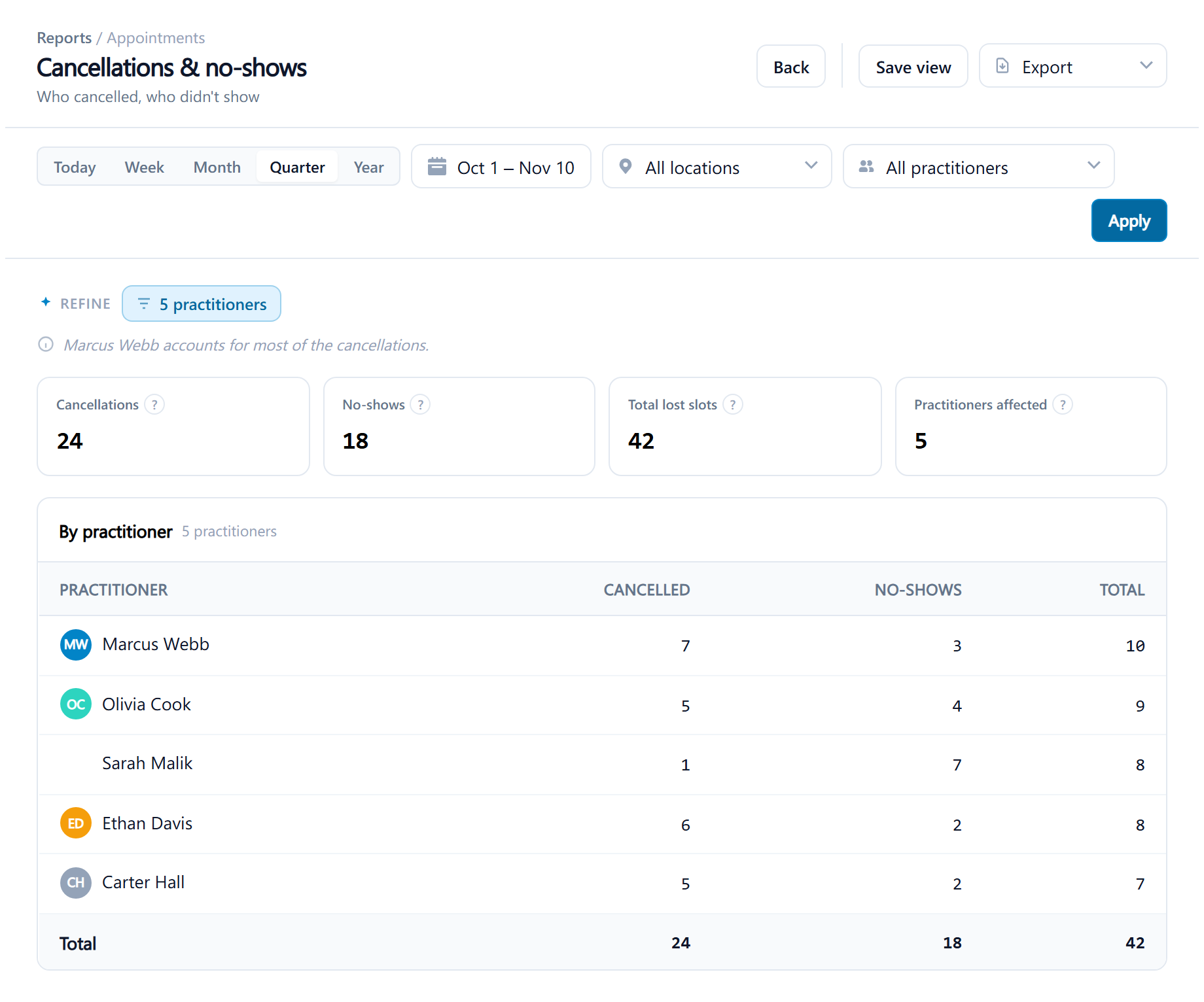
Cancellations & no-shows counts every appointment with the status Canceled or No Show in the period, grouped by practitioner, keeping the two apart so a patient who gave notice is told from one who didn't come. The dashboard's No-show fees to review opens here.
Filters: a date range with the presets Today, Week, Month, Quarter and Year or a custom range, a location, a practitioner. It needs the operational reports permission, which every role has.
Reading it
Headline figures: Cancellations, No-shows, Total lost slots, Practitioners affected.
Columns: Practitioner, Canceled, No-shows, Total.
Acting on it
A rising no-show count is the case for a deposit on online bookings or an earlier reminder; see Set up online booking. Automatic no-shows that were really forgotten check-ins inflate this; correct them on the appointment, see Update an appointment's status.