
A case groups the visits, notes and invoices for one problem: the knee, the claim, the pregnancy. It keeps a long record readable and makes insurer paperwork one click.
What a case is for
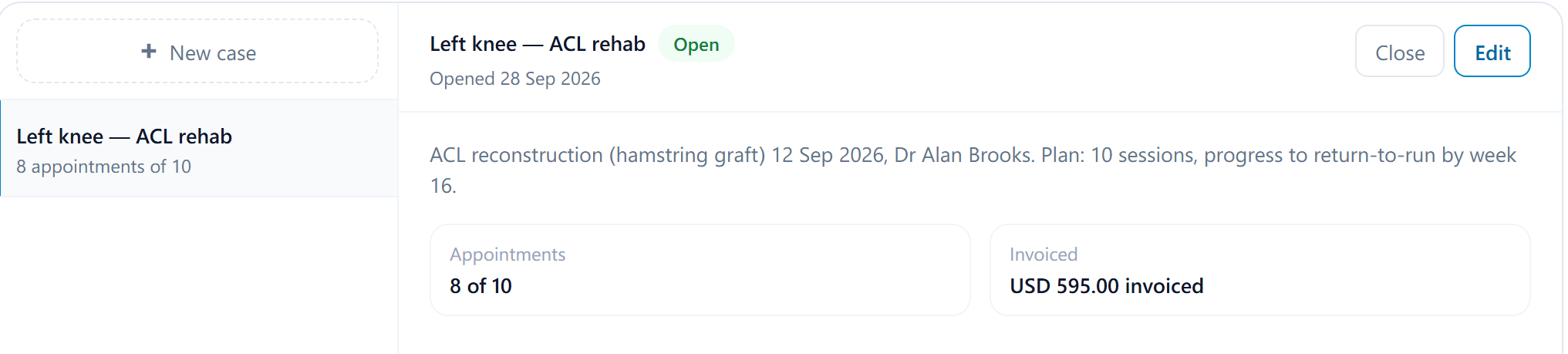
A case groups everything about one episode of care: a knee rehab program, a funded block of ten sessions, a workplace injury claim. Appointments, invoices and documents can be attached to it, and the case keeps a running count of appointments and total invoiced, so you can see how a funded program is tracking without adding it up. Cases are managed on the patient's Cases section and need the patient-management permission to change.
Start a case
Open the patient's Cases and select the new case button
Give it a Title such as Left knee — ACL rehab and, if useful, a Description.
Choose the Type
Unlimited for an open-ended episode. Maximum appointments with a number, for a program of a set number of sessions. Maximum invoiceable amount with an amount, for a funded block, such as $500. The cap is a warning line, not a lock.
Save
Case created. The case now appears as Case (optional) on the patient's new appointments, invoices and document uploads.
Attach things to it, and watch the cap
When booking an appointment, creating an invoice or uploading a document for the patient, choose the case in the Case field. Only open cases are offered; a closed case can't take new records. The case's Appointments count and Invoiced total update as records are attached.
When a case goes past its cap, the figure turns red on the case and the person saving the appointment or invoice is warned, for example 'Left knee — ACL rehab' now has 11 appointments, over its limit of 10. The record is still saved. It's a prompt to check funding or get an extension, not a block.
Close and reopen
Select Close when the episode is finished. A closed case keeps everything attached and shows the date it closed, under the closed cases list on the section, but nothing new can be attached. Reopen brings it back if the patient returns for the same problem. Edit changes the title, description or cap at any time.